 For Jira
Coming soon
For Jira
Coming soon
Track 50% KUP creative-work hours in Jira
Record eligible creative-work hours on Jira issues, compare them with monthly working-hour baselines, manage manager approvals, and export payroll-ready summaries.
What it does
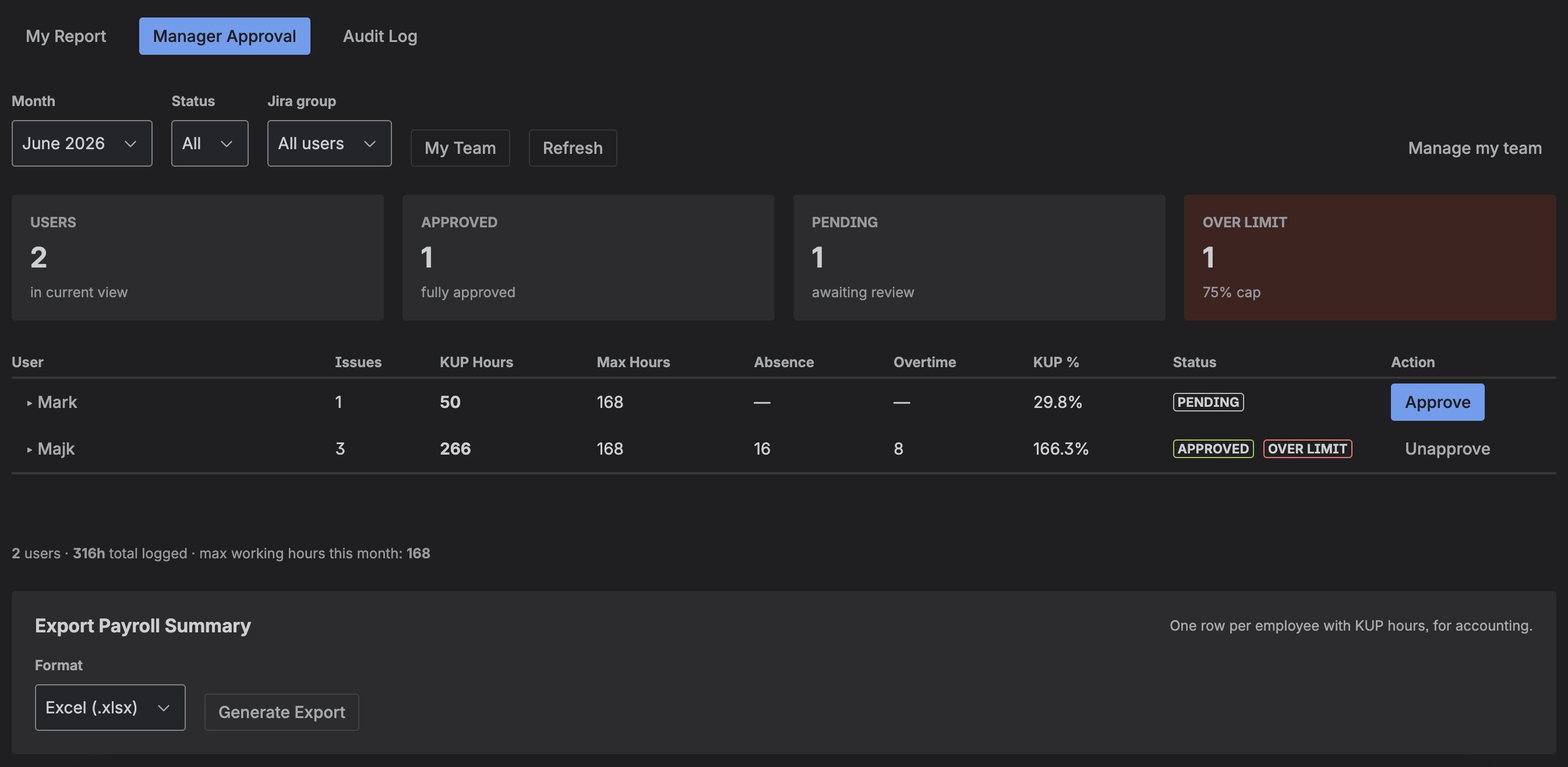
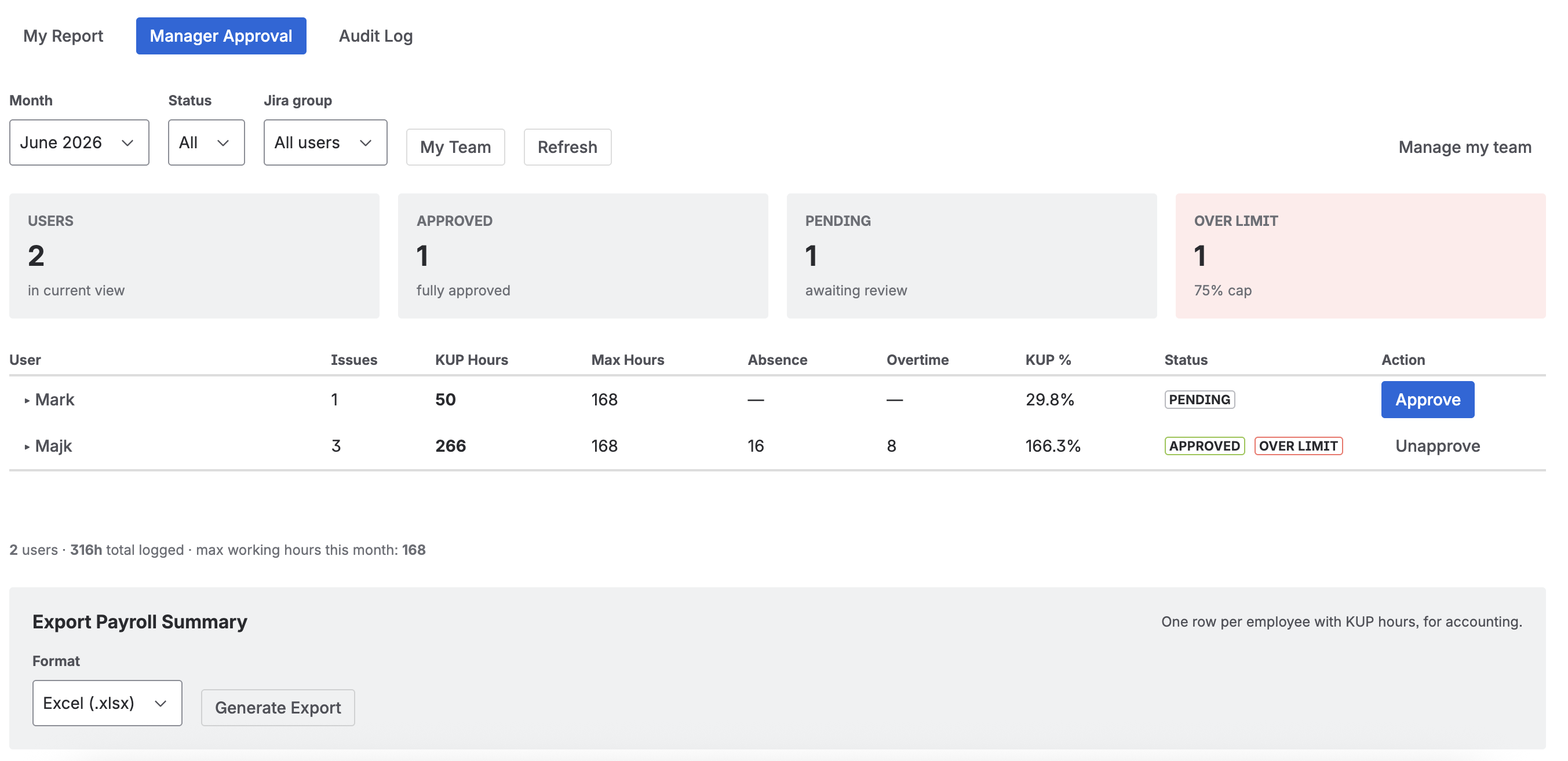
Per-issue KUP recordsRecord the reporting month and eligible KUP hours directly on configured Jira issues.
Monthly working-hour baselinesUse working-hour defaults based on the Polish holiday calendar, or override them to match your organisation.
Absence and overtime adjustmentsAdjust an employee’s effective monthly working-hour base when needed.
KUP limit visibilitySee the monthly KUP percentage and flag records that exceed the configured company limit.
Manager approvalManagers can review, approve, or unapprove monthly KUP records. Approved records are locked from further edits.
Payroll exportsGenerate a monthly CSV or XLSX summary for your payroll workflow.
How it works
1
Configure eligibility
An administrator selects eligible Jira projects and issue types, configures limits and manager access, and can override monthly working-hour defaults.
2
Record and review
Employees record eligible KUP hours on Jira issues and review their monthly totals. Managers review team reports and adjustments.
3
Approve and export
Managers approve completed records, then generate a monthly payroll summary in CSV or XLSX format.
KUP 50% Compliance for Jira documentation
Key concepts, administrator / manager / employee guides, and FAQ.
Open the docs →